
previous case: mesage reply
Pre-live and after-live
The problem
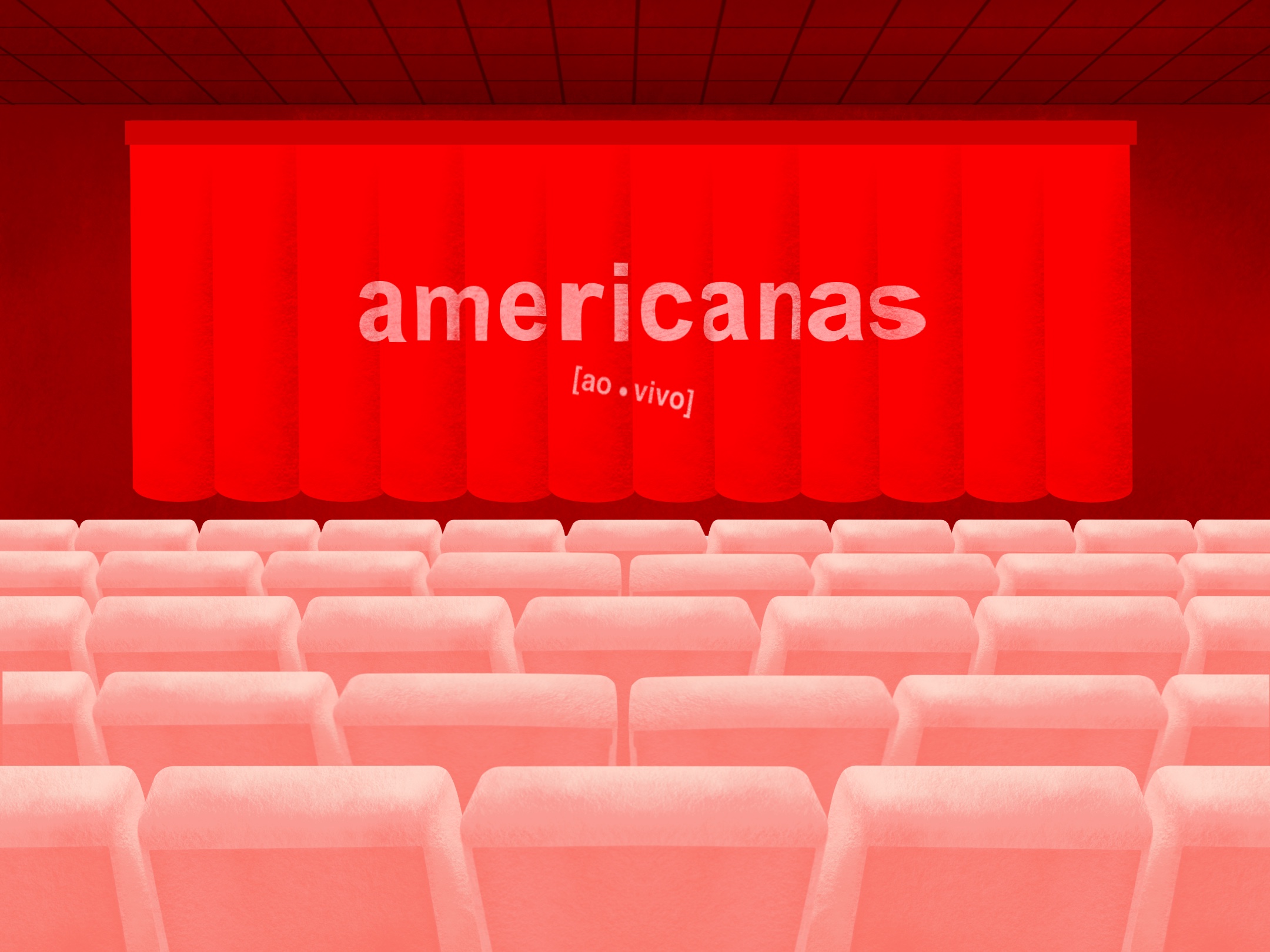
We noticed that a significant portion of users accessed the live a little before the scheduled time. However, the live screen without the video playing was a bad experience for the user, resulting in some abandoning the live before it even started and others leaving impatient comments in the chat.
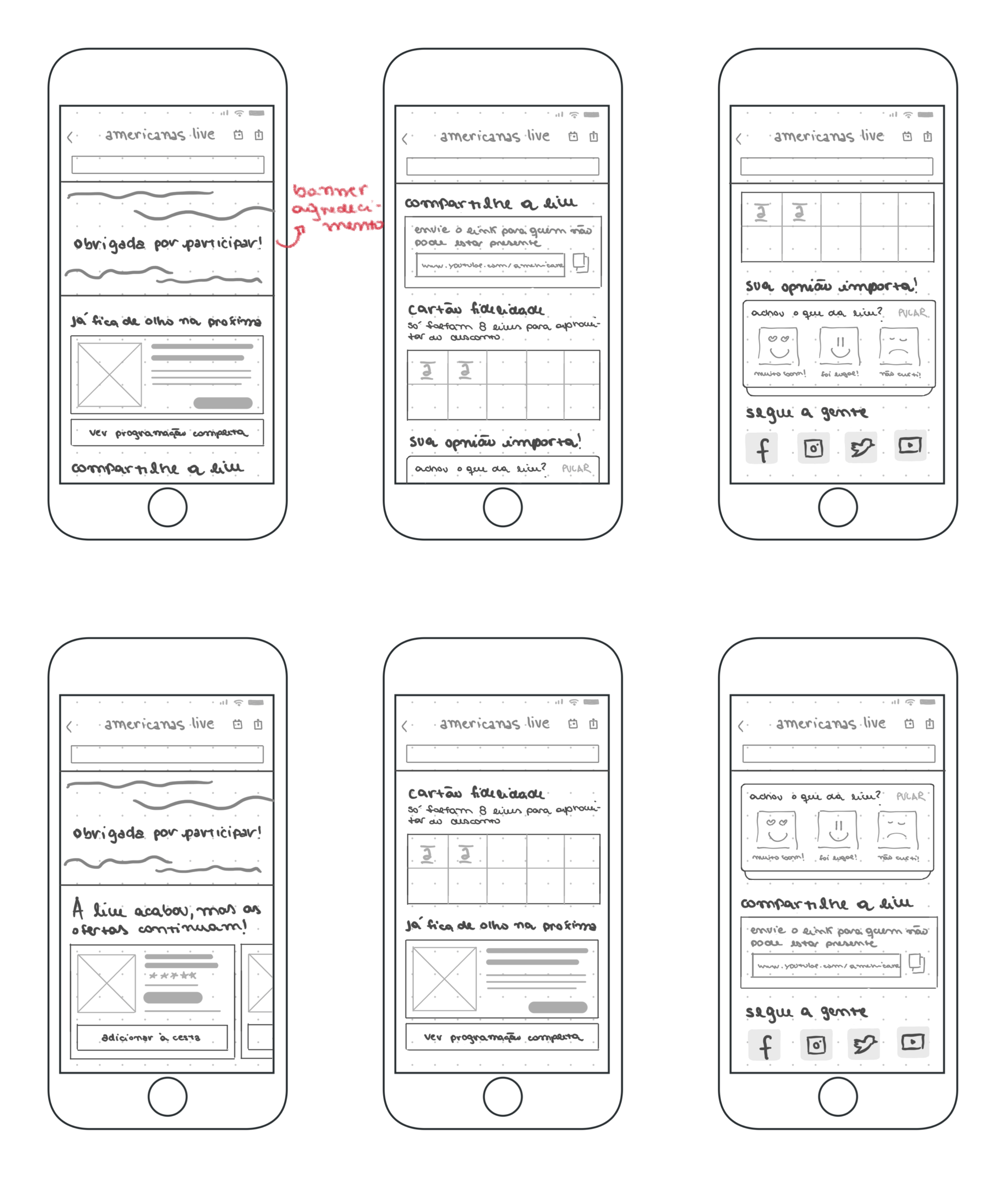
In the same way that we identified the need to have a waiting screen for the beginning of the transmission, it was necessary to think about a screen for the conclusion, and the moment after the transmission ends. We realised this need after following a live until the end, and noticing that a portion of users did not leave the screen minutes later, even with the Video Player becoming just a solid black.
In order to provide a better experience, what features could the ‘wait’ and ‘end’ screens bring to keep these users in the app?
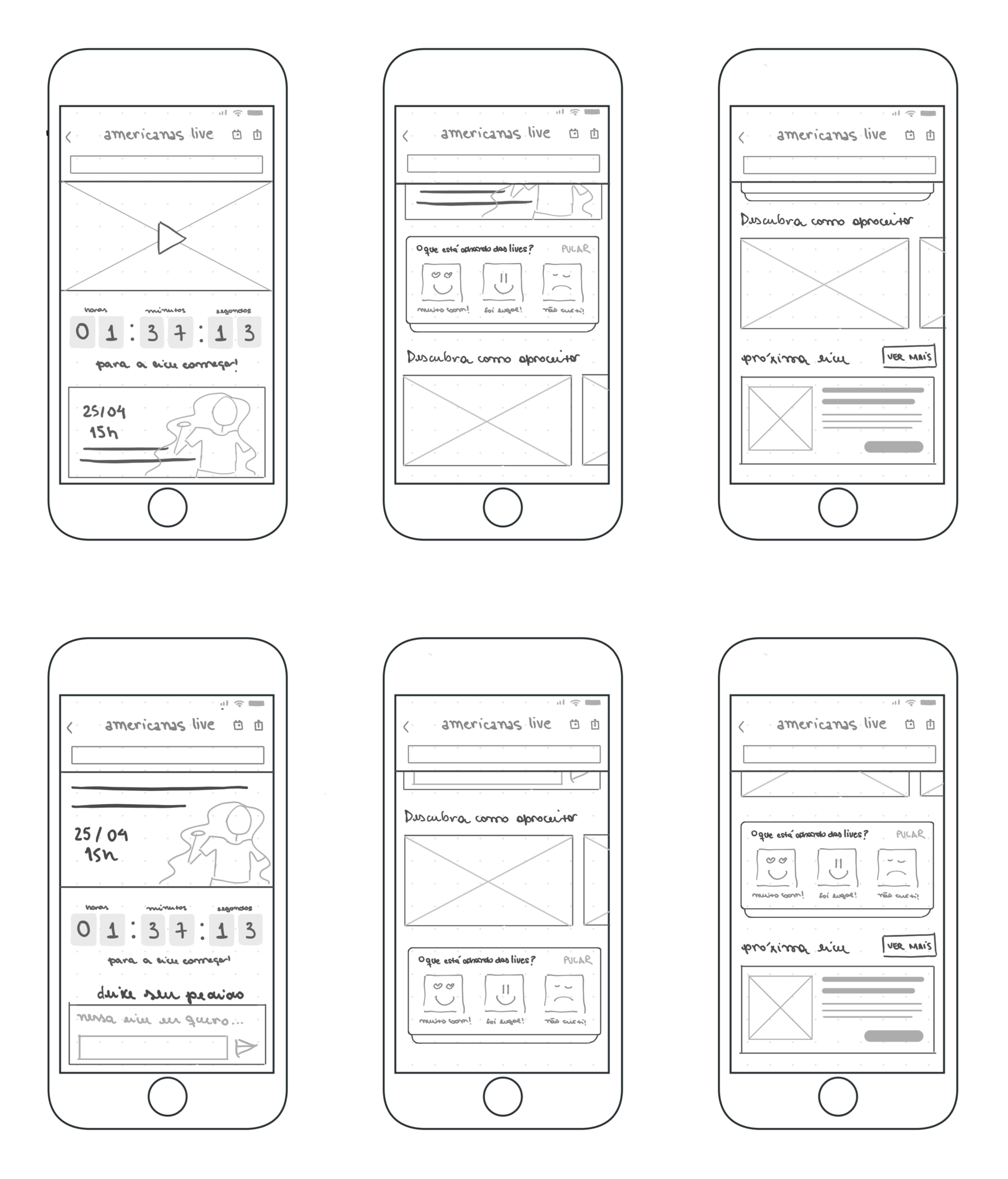
Exploring ideas in wireframes
- New Countdown feature
- New User Quiz feature
- Add NextLive Card announcing the next planned live
- End of the live banner
- New idea of loyalty card feature
- Company social media shortcut
pre-live
after-live
Technical impediments
At this point in the project, our development team still hadn’t figured out how to place components in front of the player without the introductory video pausing. That is, it would not be possible to scroll the screen without pausing the video, since the NavBar would be above it. In this way, the only possibility to guarantee the video playback was to fix it at the top of the screen, with the content scrolling below it.
When discussing ideas with our B2W Product Owner, we received feedback and some decisions were made:
- The idea of the loyalty card feature, as it involves business rules and discounts, was eliminated
- We could create a temporary banner of completed live, since it would not be possible to establish a deadline for the marketing team to deliver the official banner, due to its high demand.
The solution
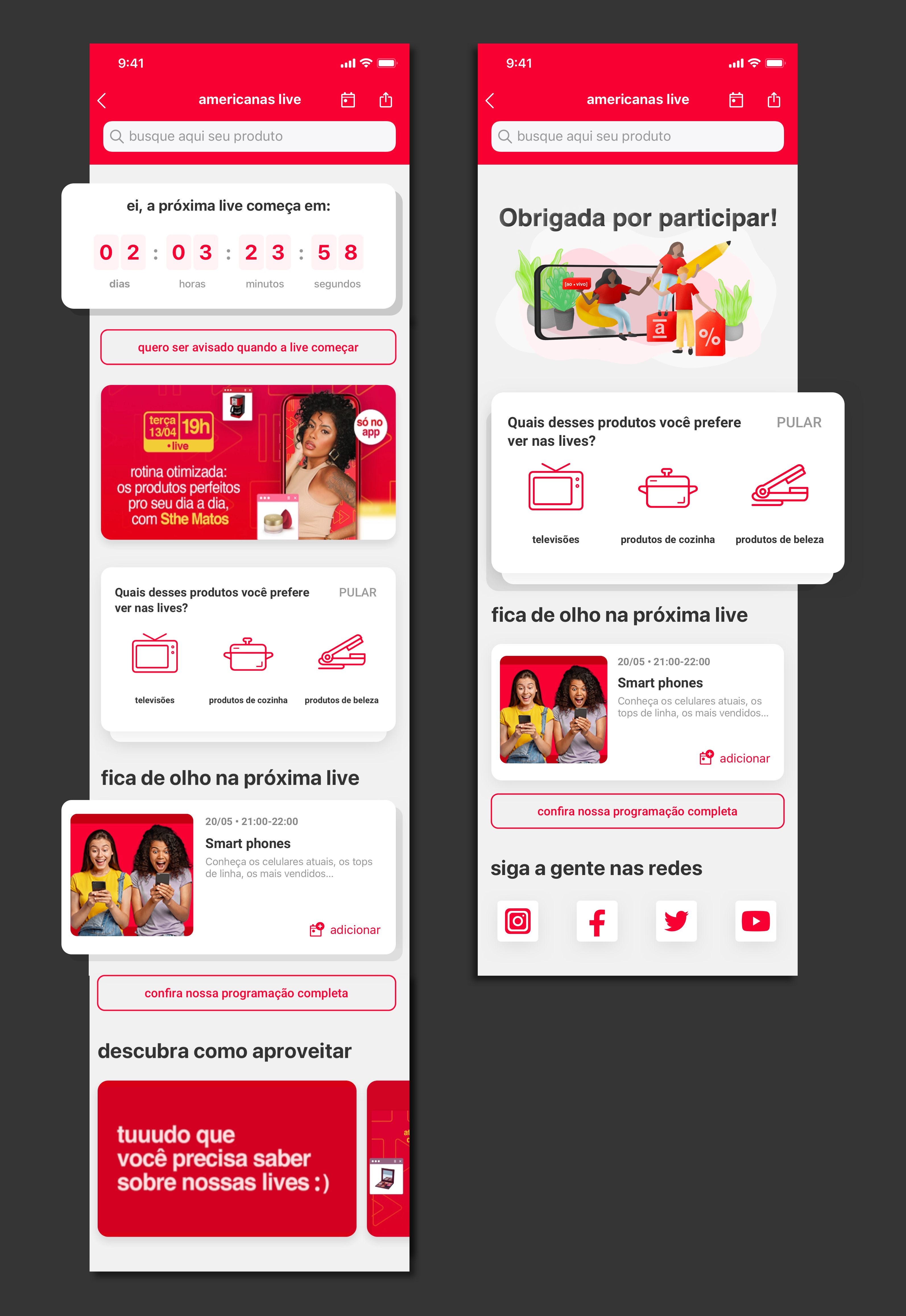
The pre-live is a waiting environment, in which the user is repeatedly informed about how much time is left for the live to start, at the same time they can interact with the Quiz and NextLives features, and check the video and banners of the brand.
The after-live, closing screen of the live, with the features of Quiz, NextLives Card, and buttons for the brand’s social networks. The temporary closing banner was a digital art that I made but that ended up not being approved because it didn’t follow the brand’s standard.
You are on the Live project. Go back to message reply, or continue to pin message
message reply
With this new feature, moderators are able to respond to messages from users in the live chat.
pin message
Live moderators have acquired the power to highlight a message on the live screen.
 Paula Fidalgo