
previous case: pre-live and after-live
Pin message
The problem
After the implementation of the message reply, we were faced with a new demand from the marketing team: leave a message highlighted for all users during the live. According to our Product Owner, there were important announcements that did not reach everyone, due to the high volume of messages in the chat and the uncoordinated entry of viewers.
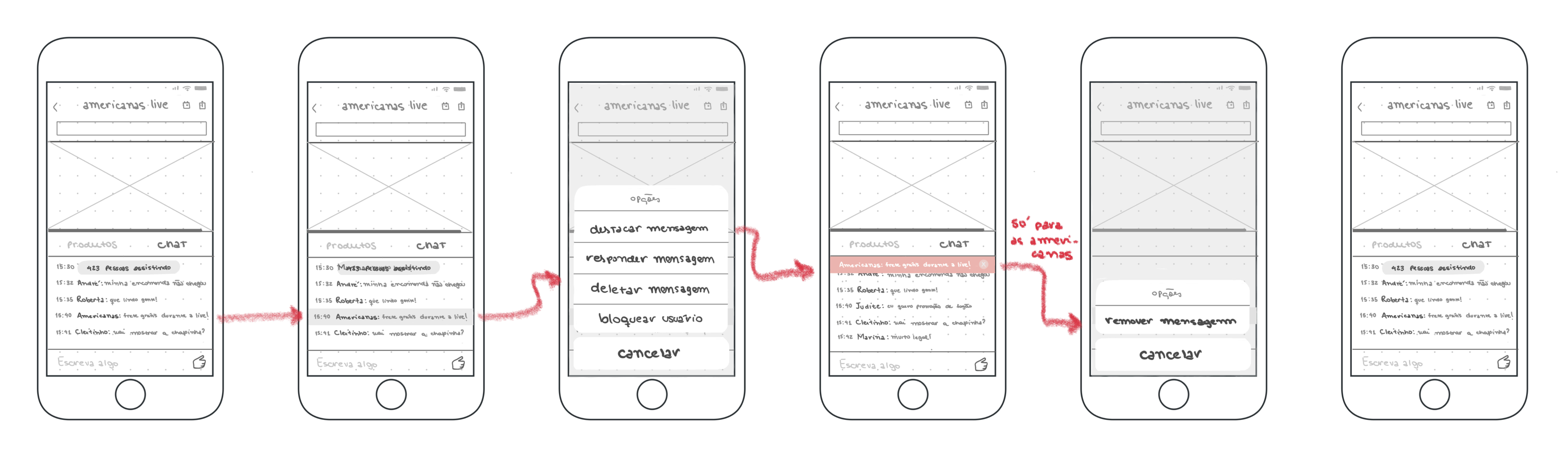
Technical impediments
As already pointed out by the development team during the Pre-Live design, it would not be possible to place any component in front of the video player, resulting in the solution having to be worked on in chat.
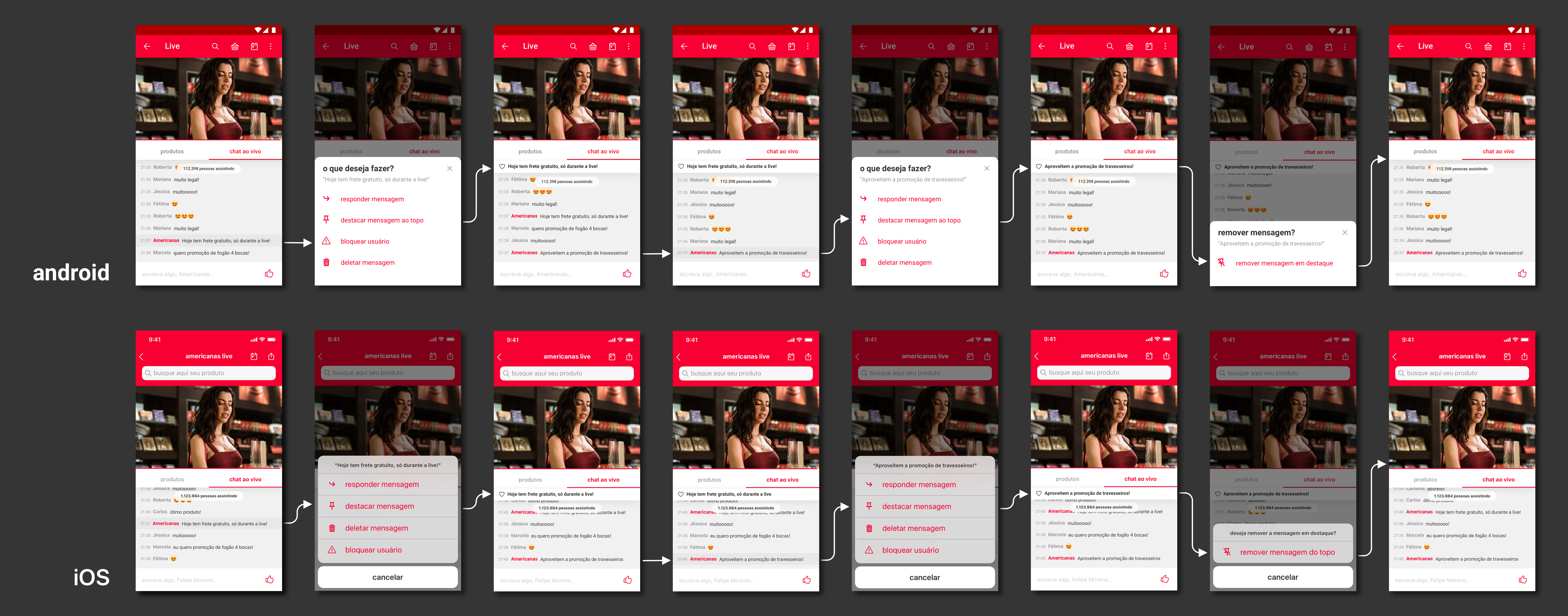
The solution
Feature that allows an admin user to highlight a message at the top of the chat
You are on the Live project. Go back to pre-live and after-live, or continue to loading animation

pre-live and after-live
Like the foyer in a theatre, the pre-live and after-live screens provide an interactive environment for live users.

loading animation
Initial animation for the live module, for the seconds the API request can last
 Paula Fidalgo